


How to Choose the Best Laptop in the UK
Finding the best laptops in the UK can be challenging. With so many models, specifications, and price ranges available, it is easy to choose a laptop that looks good on paper but does not actually suit your needs.
The right laptop depends on how you plan to use it. Students may prioritise portability and battery life, professionals may need reliable performance and a comfortable keyboard, while creative users often require a better display and more powerful hardware.
This guide explains the key features to consider and the types of laptops that are worth looking at in the UK.

What Should You Look for in a Laptop?
Before choosing a laptop, it is important to look beyond the brand name and consider the specifications that will affect your everyday experience.
Processor
The processor affects how quickly a laptop can handle applications and multitasking. A modern processor is recommended if you regularly use several applications at once or plan to keep the laptop for several years.
RAM
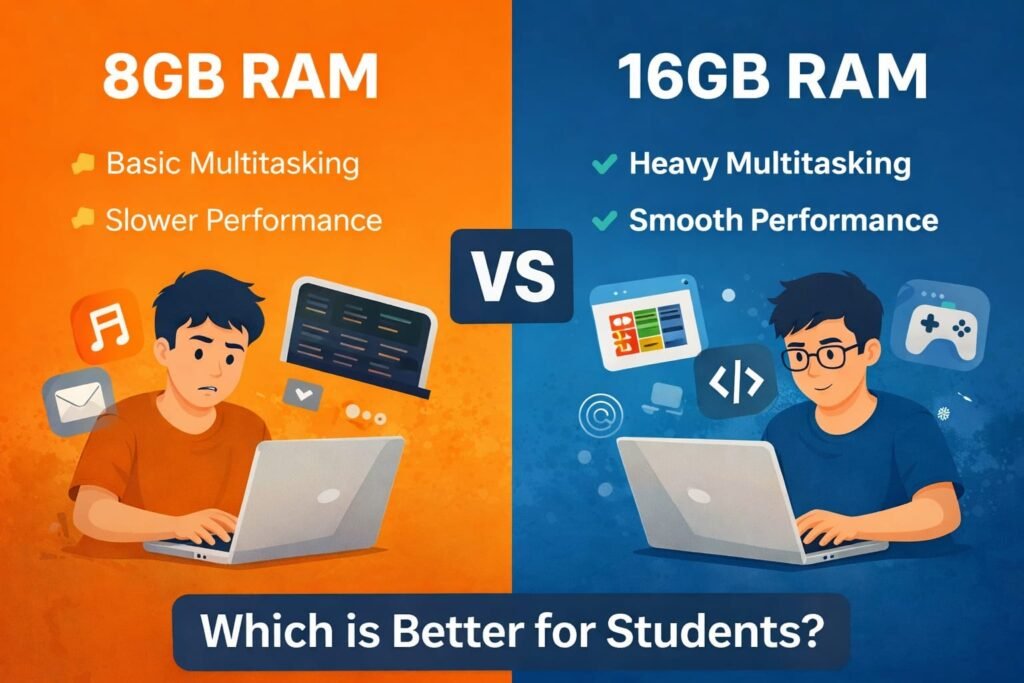
For basic browsing, documents, and everyday tasks, 8GB of RAM can be sufficient. However, 16GB is a better choice for heavier multitasking, professional applications, and creative work.
Storage
An SSD should be a priority when buying a modern laptop. SSD storage provides faster boot times, quicker application loading, and a more responsive overall experience than traditional hard drives.
Display
Display quality matters if you spend several hours reading, working, editing photos, or watching videos. Consider resolution, brightness, colour accuracy, and screen size rather than looking at resolution alone.
Battery Life
If you regularly study, work, or travel away from a power socket, battery life becomes particularly important. A portable laptop is much more useful when you do not have to carry a charger everywhere.
Build Quality and Portability
A well-built laptop can be more comfortable for everyday use and travel. If you regularly carry your laptop between home, university, or the office, weight and build quality should be part of your decision.
Best Laptops in the UK for Students

Students generally need a laptop that is dependable, portable, and capable of handling everyday academic work.
Typical tasks include web browsing, Microsoft Office, research, presentations, online learning, video calls, and document management. You do not necessarily need an expensive premium laptop for these activities.
For most students, a laptop with 8GB or 16GB of RAM, SSD storage, and a modern processor offers a good balance of performance and value.
Battery life and weight are also worth considering, particularly if you will be carrying the laptop around campus throughout the day.
Brands such as HP, Lenovo, Dell, ASUS, and Apple offer models across different price ranges, so the best choice will depend on your budget and the software required for your course.
Best Laptops in the UK for Professionals
For professional use, reliability and productivity are often more important than having the most powerful hardware available.
A good work laptop should provide enough performance for applications such as Microsoft Office, web-based tools, video conferencing, presentations, and multitasking. A comfortable keyboard, good webcam, long battery life, and useful selection of ports can also make a significant difference.
Premium Windows laptops such as the HP Spectre can be appealing to professionals who want a combination of portability, design, and performance without moving to a bulky workstation.
Business users should also consider security features, warranty support, connectivity, and the type of applications they use before making a purchase.
Best Laptops in the UK for Creative Work
Creative professionals have different requirements from everyday users. Photo editing, video production, graphic design, and other demanding workloads can require considerably more processing and graphics performance.
When choosing a laptop for creative work, look for:
- A powerful modern processor
- At least 16GB of RAM
- Fast SSD storage
- A high-quality display
- Strong graphics performance
- Effective cooling
- Sufficient ports and connectivity
The display deserves particular attention. For photographers, designers, and video editors, a screen with good colour accuracy can be just as important as processor performance.
If you work with large video files or professional creative applications, choosing additional storage or a model that supports expandable storage can also be worthwhile.
HP Spectre: A Premium Windows Option
The HP Spectre is worth considering for buyers looking for a premium Windows laptop. The range has traditionally focused on combining a slim design with strong performance, high-quality displays, and features aimed at productivity.
Depending on the specific model and generation, a Spectre laptop may include features such as a touchscreen, premium materials, modern processors, and enhanced security options.
Its combination of portability and performance makes the range suitable for users who frequently move between home, university, and the workplace.
However, it is important to compare individual models rather than choosing a laptop based solely on the Spectre name. Specifications, display options, processors, memory, storage, and pricing can vary between generations and configurations.
Best Budget Laptops in the UK
A limited budget does not necessarily mean you need to settle for a poor laptop.
For everyday tasks such as browsing, streaming, email, word processing, and online communication, an affordable laptop can provide everything you need.
When shopping in the budget category, try to prioritise:
- 8GB of RAM
- SSD storage
- A modern processor
- A Full HD display
- Reasonable battery life
- A reliable keyboard and trackpad
It can be tempting to choose the cheapest model available, but a small increase in budget can sometimes provide substantially better performance and usability.
Think about how long you expect to keep the laptop. Paying slightly more for adequate RAM, faster storage, and a better processor may provide better value over several years.
Windows Laptop or MacBook?
Another important decision is choosing between Windows and macOS.
Windows laptops provide a wide range of choices across different prices and specifications. They are also compatible with a large selection of software, accessories, and peripherals.
MacBooks are known for their premium construction, efficient performance, strong battery life, and integration with other Apple devices.
Neither platform is automatically the right choice for everyone. Your decision should depend on the applications you need, your budget, the devices you already own, and your personal preferences.
If your university or workplace requires specific Windows-only software, compatibility should be checked before choosing a MacBook.
Which Laptop Should You Buy?
The best laptop for you ultimately depends on your priorities.
For students:
Choose a lightweight model with good battery life, an SSD, and enough RAM for research, documents, presentations, and online learning.
For professionals:
Focus on reliability, portability, keyboard quality, battery life, connectivity, and multitasking performance.
For creative professionals:
Prioritise RAM, processor performance, graphics capabilities, storage, cooling, and display quality.
For everyday users:
A well-priced mid-range laptop is often enough for browsing, streaming, documents, email, and video calls.
For buyers seeking a premium Windows laptop:
The HP Spectre range is worth considering, particularly if design, portability, and premium features are important to you.
Final Thoughts
There is no single laptop that is the best laptop in the UK for everyone. The right choice depends on your workload, budget, portability requirements, and the features you value most.
Students may benefit from a lightweight laptop with strong battery life, while professionals may prefer a premium model with a comfortable keyboard and reliable performance. Creative users should place greater emphasis on display quality, memory, graphics, and processing power.
The HP Spectre is one premium Windows option worth considering, but comparing the exact configuration and price is essential before buying.
Before making your final decision, compare the processor, RAM, SSD storage, display, battery life, weight, warranty, and current UK price. Taking the time to compare these factors will make it easier to find a laptop that meets your needs and remains useful for years to come.